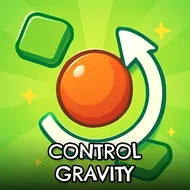
Control Gravity
Instructions:
Mouse controlDescription
Control Gravity Competitive-Style Breakdown
Top Tips
- Think of gravity direction as your only real tool, since the player character can't be moved directly.
- Plan each gravity flip carefully, considering how it will affect the character's current momentum.
- Watch for platforms and obstacles that only become relevant once gravity shifts to a new direction.
- Retry a level immediately if an early gravity flip sends the character somewhere unrecoverable.
Controller & Keyboard Guide
- Click with the mouse to flip the current direction of gravity affecting the player character.
- Watch the character fall or rise accordingly based on the newly set gravity direction.
- Guide the character toward the level's wormhole using a sequence of well-timed gravity flips.
- Reach the wormhole successfully to unlock and progress to the next of sixty available levels.
Control Gravity builds its entire puzzle-platformer identity around one clever restriction: you never move the player character directly, only the direction gravity pulls them. This indirect control scheme forces genuinely different spatial thinking compared to typical platformers, since success depends entirely on anticipating how a falling or rising character will interact with the level's layout. The difficulty escalates steadily across all sixty levels, introducing increasingly elaborate gravity-flip sequences. Comparing completion times with friends afterward adds a small competitive spark on top of the otherwise methodical flipping loop, and the sheer scale of sixty levels keeps dedicated players busy for a genuinely long stretch of time. Its clever indirect control scheme makes it a genuinely comfortable pick for fans of unconventional platforming puzzles.