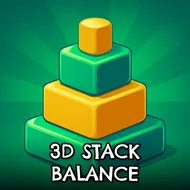
3d Stack Balance
Instructions:
Mouse ControlDescription
Play 3d Stack Balance 100% Free
No installer, no waiting around for a download bar to crawl its way to 100%. You click, the tab loads, and you're already sliding boxes onto a wobbling tower within seconds. That kind of instant access matters more than people admit, especially for a game built around short bursts of stacking rather than long sessions. Play it on a lunch break, close the tab, come back later and pick right up without losing progress on a stuck install. Since it runs straight from the browser, there's nothing eating up storage space either, which is a small thing until your device is already full of apps you never open.
Control Scheme
- Everything runs off the mouse, no keyboard needed at all.
- Move the cursor left and right to shift your character across the platform.
- Nudge gently for small corrections instead of yanking the mouse across the screen.
- Timing your movement matters just as much as the direction you pick.
- One hand, one input, and honestly that's all this game needs to get hard fast.
Winning Strategies
- Keep your eyes on the base of the tower, not the top cube you just placed — that's where the wobble actually starts.
- Small, steady shifts beat frantic overcorrecting almost every time; panicking just tips things faster.
- Grab cubes in clusters when they're lined up close together instead of chasing one at a time across the platform.
- Slow down as the tower climbs since the balance point gets twitchier with every extra box added.
- Aim for a rhythm rather than speed — a slower, steadier climb usually fills more trucks than a rushed, leaning one.
- If the stack starts drifting to one side, correct early rather than waiting for it to lean past the point of no return.